
Beard · stubble to full
Beard growth is slow. The photos should not hide it.
Nobody notices their own beard filling in, because they see it every day in a mirror at a different angle. A locked frame is the only way to see the month you actually lived through.
- Shoot
- Every day, or every other day
- Projects
- 4
- Photos stay
- On your device
Cadence
Every day, or every other day, and here is why.
Beard growth is roughly a centimetre a month, so a single day shows almost nothing and a week shows a jump. Daily photos give you a reel that flows; every other day is the honest minimum.
The setup
Decide this once. Then stop deciding.
Every one of these is a decision you make a single time. The whole point is that the next photo needs no thought at all.
Shoot before you touch it
Same point in your routine every day, ideally before washing or brushing. A freshly brushed beard sits differently from a slept-on one, and that difference is bigger than a day of growth.
Front and one profile
Two projects. The front shows density and the patchy spots filling in, the profile shows length. Length is almost invisible from the front until month three.
Flat, even light
Side light rakes across a beard and exaggerates thickness. Soft frontal window light is less flattering and far more honest.
Keep the trim dates in the project
Do not delete the photo from the day you tidied the neckline. The step in the timeline is information, and a reel with a visible trim is more believable than one without.
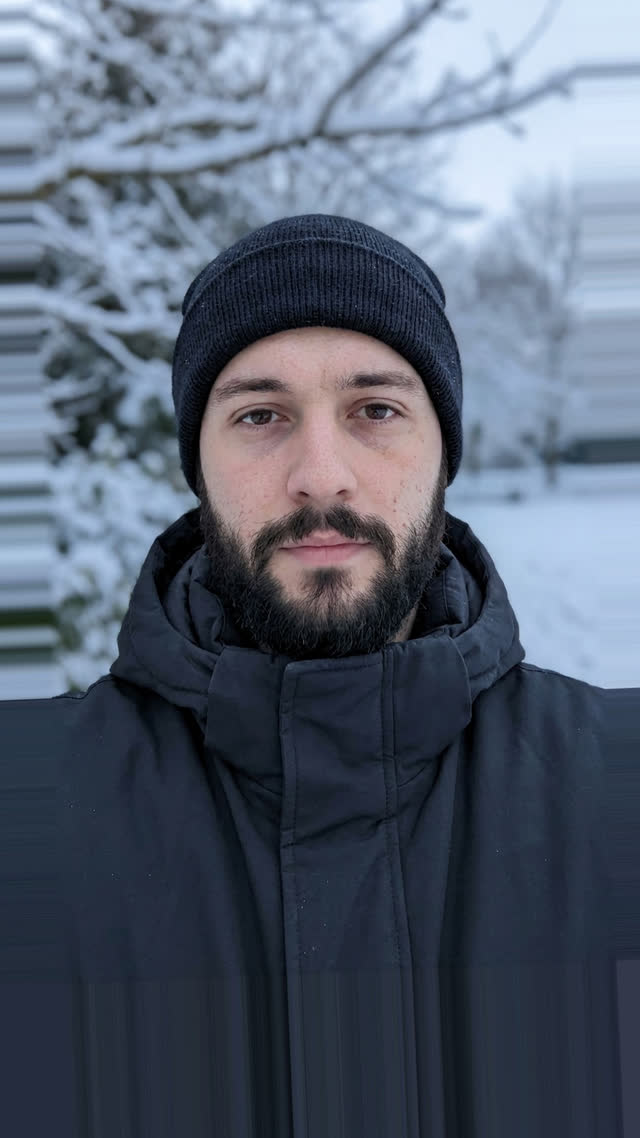
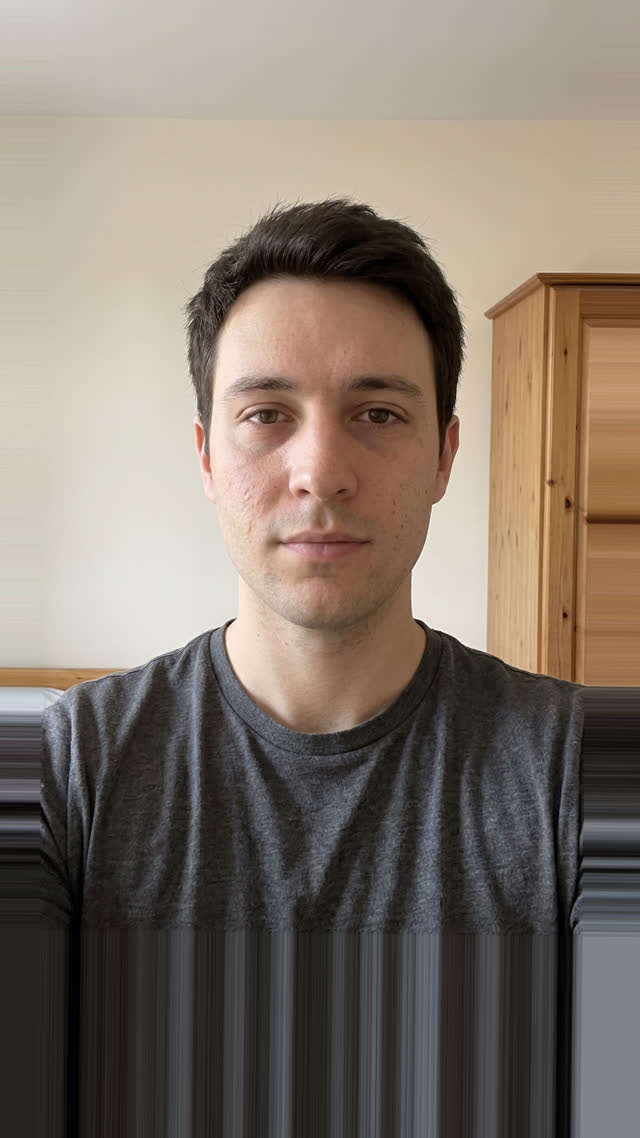
The payoff
Two photos that agree on everything except the subject.
Drag it. The wall, the floor, the light and the lens are identical, so the only thing your eye can read is the change. That is the entire trick, and it is decided at capture time, not in an editor afterwards.
Try it with your own photosWhat goes wrong
The mistakes that quietly ruin the set.
- Starting the project two weeks in, once there is something to show. The empty start is the whole payoff.
- Comparing a combed beard to an uncombed one and reading it as growth.
- Changing the camera distance as the beard gets bigger.
Questions
Beard photos, answered.
How do I track beard growth with photos?
Take one photo a day from the same distance and angle, in the same light, before you brush or wash. Line each shot up against the previous one so the frame never drifts, then export the run as a time-lapse at the end of the month.
How long does a beard take to fill in?
Most people see meaningful density between four and twelve weeks, and patchy areas often fill in later than the rest. A daily photo set is the only reliable way to tell filling-in from wishful thinking, because the change per day is smaller than your memory of yesterday.
Should I take beard photos before or after trimming?
Before, always, and keep shooting on trim days too. A consistent capture point matters more than the beard looking its best, and the visible step where you tidied it makes the rest of the timeline more credible.
Also tracked with SameShot
Same camera, different subject.
Every day
Daily selfie and glow-up
A year of selfies that plays as one smooth movement.
Weekly, or monthly for transplant recovery
Hair growth and transplant recovery
Hairline and regrowth shots the light cannot fake.
Every day, or every third day
Skin and acne
Routine tracking where the light cannot lie to you.
Guides & Tools
Related guides and tools for beard progress.
Take the first one today.
The starting photo is the only one you can never go back and take. Free on Google Play, no account needed.

SameShot: Progress Photos
Appynox · Lifestyle
Before and after photos that line up. Ghost overlay camera, AI auto capture.
- Price
- Free
- Rated
- Everyone
- Account
- Not required
- iOS
- In development
Free, no account, nothing uploaded. Android 8.0 and above.